




How do I convert MP3 to 3GP or other ringtone formats?
Introduction.
3GP is a simplified version of MP4 format, it is specially designed to be used with mobile phones. Actually, it can contain both audio and video data, but the latter has nothing to do with ringtones, so we will talk about audio files.
If you want to create ringtones for your cellular, 3GP (along with AMR and AAC) is a good choice. It allows to decrease file size, thus saving space for more ringtones. Thus you can convert MP3 to 3GP to turn your favorite song into a ringtone.
We will discuss a simple tool for creating all kinds of ringtones - Joy RingTone Converter.
Step 1: Download and install the program.
Download Joy RingTone Converter to a known location. Run the downloaded setup package and follow the on-screen instructions to install it.
Step 2: Launch the application. Open an audio file.
Start Joy RingTone Converter. The program will offer you to setup basic features (like output folder), but this is not required, so we just skip it.
As next, let's look at the program window.
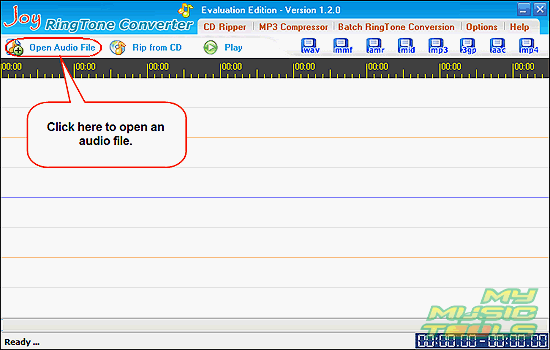
The program offers two basic sources for your ringtones. You can either open some audio file, or you can also rip tracks directly from your Audio CD.
As the question was about MP3 files, let's click the "Open Audio File" button on the toolbar. A usual "Open" dialog will appear. Browse to the location where your MP3 files are, select one of them, click "Open".
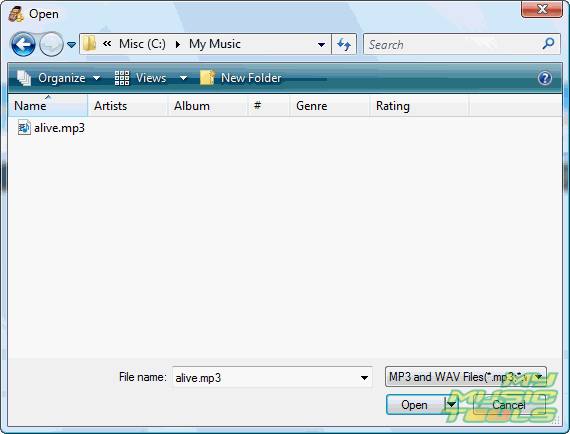
Step 3: Select a fragment. Save your new ringtone.
The program loads the MP3 file and builds its waveform. It can take some time, depending on your system.
Now, just select some fragment with mouse directly on the waveform, click "Play" to make sure that your guess is correct.
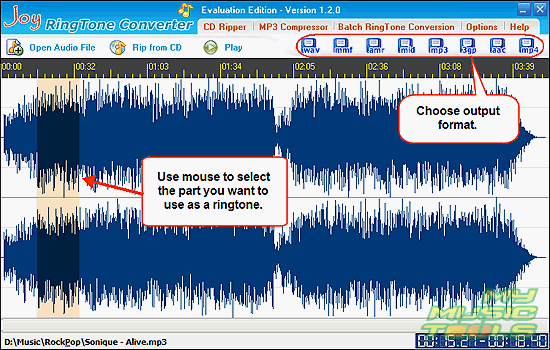
Finally, click one of the output formats in the right part of the toolbar. There are WAV, MMF, AMR, MID, MP3, 3GP, AAC, MP4. You can use any of them for a ringtone. Some mobile phones support only limited number of formats, so you should refer to the manual of your phone for a list of supported formats.
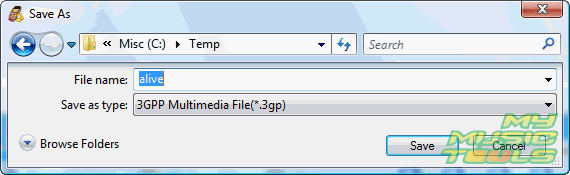
After you click the corresponding button, the program will offer you to convert your MP3 to ringtone and to save it. Select location, type in some filename and click "Save".
The trial version of Joy RingTone Converter converts only 5 seconds of a file. You can remove this limitation with your registration data after purchasing the program.


Search
Related
Ask our expert
- How to share screen videos online?
- How to sort duplicate music files by ID3 tags?
- How to get quick updates on movies by director?
- How to convert multiple MIDI files into an MP3?
- How to rotate videos?
- How to convert WMA to WAV?
- How to play MIDIs on an iPhone?
- How to split an audio file into equal parts?
- How to split m4b audiobooks into chapters for free?
- How to convert videos for You Tube?
