




How to change voice in real-time?
Introduction.
Do you want to change your voice? To sound like a celebrity, like a child, like a person of the opposite sex? Well, not permanently, but just for fun?
Voice changer is a program that modifies your voice by shifting its timbre and pitch and by applying different special effects. Using such a program, you can stay anonymous in a voice chat, call your friend and pretend to be another person, record jokes and even audio books with a nickvoice, and so on.
We will discuss AV Voice Changer. This program has rich voice changing capabilities, including presets, special effects, enhancers, voice analyzer and comparator etc. You can create your own presets and switch between them to picture different characters in an audio book (as an example).
Step 1: Download and install the program.
Download AV Voice Changer to a known location. Run setup and follow on-screen instructions to install the application.
Step 2: Start the program. Change your voice.
Start AV Voice Changer.
The program starts changing sounds on your system almost immediately. To switch its effects on and off, toggle the "Power" button.
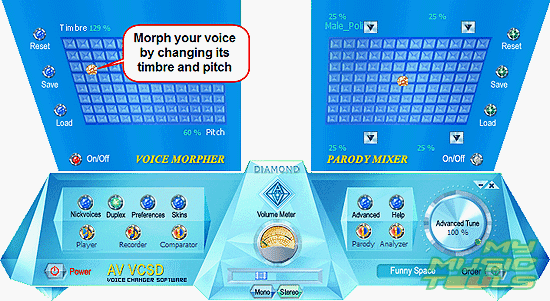
If your microphone is connected to the system, you can experiment with your voice. In the "VOICE MORPHER" area of the program, move the pin around to change timbre and pitch. If the program doesn't react to your actions, check if "Power" is toggled on and if the switch "On/Off" in the "VOICE MORPHER" area is red (active).
You can load and save your own presets.
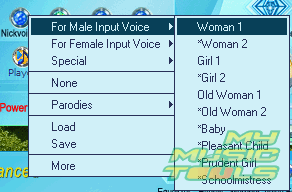
In the main part of the program window (where the "Power" button is located), there is a "Nickvoices" button. It offers a quick access to some pre-defined voice changing schemes:
Below the main part, an advanced panel can be shown. If there is no advanced panel on your computer, try clicking the "Advanced" button in the main window.
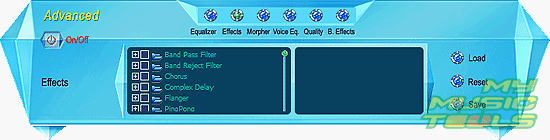
The advanced panel has some additional settings, like equalizer, effects etc. All presets can be saved and loaded. To switch the additional settings on or off, toggle the "On/Off" button.
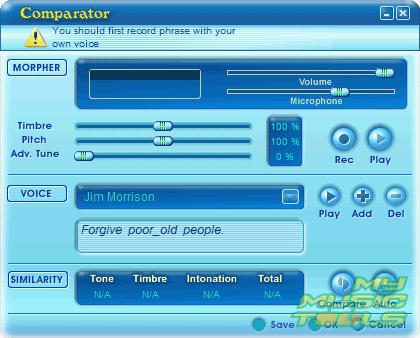
Yet another interesting feature of the program is its voice comparator. You can record your voice and then adjust its pitch and timbre to make it possibly similar to other voices (there are several pre-installed samples, but you can add your own voice samples).
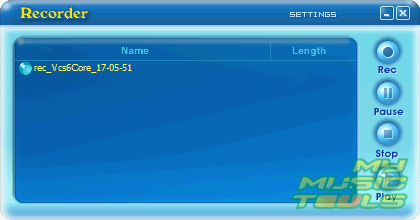
Finally, the program allows recording transformed voice speeches with its simple voice recorder:
Using AV Voice Changer Software, you can both change any voice in real-time (from a microphone) and apply different effects to already recorded voices.


Search
Related
Ask our expert
- How to share screen videos online?
- How to sort duplicate music files by ID3 tags?
- How to get quick updates on movies by director?
- How to convert multiple MIDI files into an MP3?
- How to rotate videos?
- How to convert WMA to WAV?
- How to play MIDIs on an iPhone?
- How to split an audio file into equal parts?
- How to split m4b audiobooks into chapters for free?
- How to convert videos for You Tube?
