




MP3 Tag Editor + Audio Converter + MP3 Splitter/Joiner + Duplicate Remover + MIDI Converter = 70% OFF
EN DE ES IT FR RU
How to convert a video file for iPod?
1. Start Cucusoft iPod Movie\Video Converter.
2. Press the button "Open file" to add a video file.

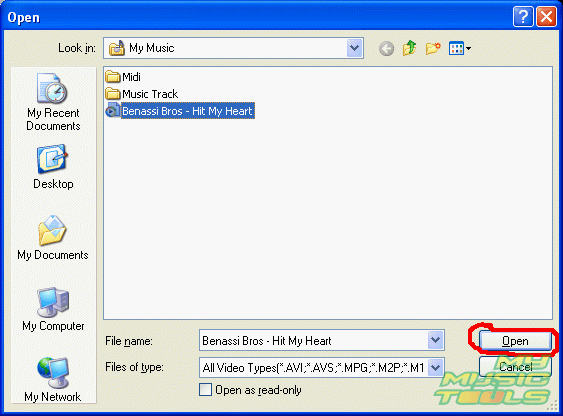
3. In the window "Open" select the required video file and press the button "Open".
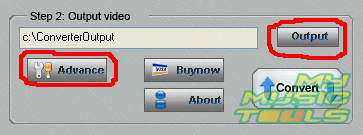
4. Then choose where to save the converted video file by pressing the button "Output" or type in the path to the folder manually. It is possible to adjust the settings for the output video file by pressing the button "Advance". But the default settings are optimum for conversion.
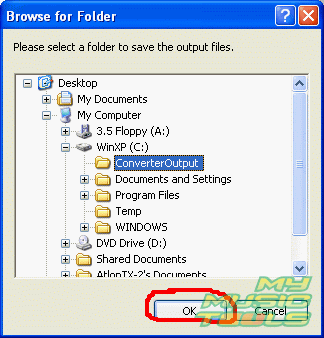
5. In the dialog box "Browse for Folder" select the required directory and press the button "Ok".
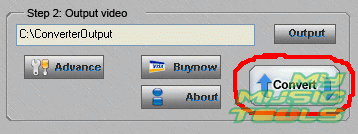
6. Press the button "Convert" to start the file conversion.
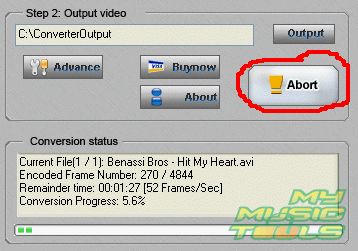
7. The conversion is in progress. If you want to cancel it just press the button "Abort".


Search
Related
Ask our expert
- How to share screen videos online?
- How to sort duplicate music files by ID3 tags?
- How to get quick updates on movies by director?
- How to convert multiple MIDI files into an MP3?
- How to rotate videos?
- How to convert WMA to WAV?
- How to play MIDIs on an iPhone?
- How to split an audio file into equal parts?
- How to split m4b audiobooks into chapters for free?
- How to convert videos for You Tube?
