




How to convert a mid to mp3?
1. Start MIDI Converter Studio.
2. Select a midi file for conversion by pressing the button "Add files..." in the Toolbar.

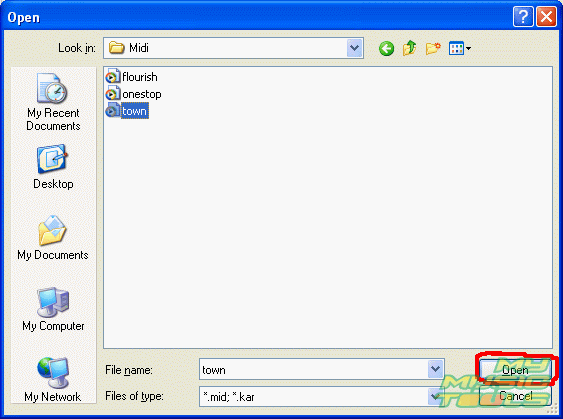
3. In the "Open" dialog box select the midi file you want and press the button "Open".
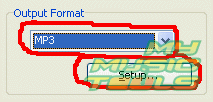
4. Choose the format of the output file from the list. In our case it is mp3. Press the button "Setup..." to set properties for the mp3 file.
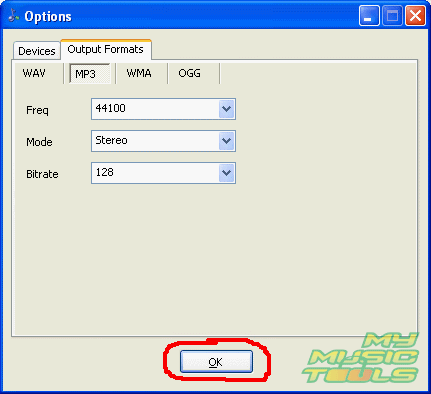
5. In the settings window you can adjust such parameters of the output mp3 file as quality, frequency rate, mono or stereo sound. Press the button "Ok".
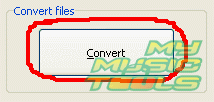
6. Having adjusted the setting press the button "Convert" in the Toolbar to start the conversion process. The converted file will be saved in the same folder as the source file.
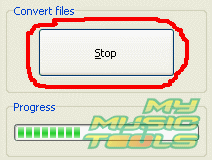
7. The conversion process will start. You can cancel it by pressing the button "Stop".


Search
Related
- How to convert multiple MIDI files into an MP3?
- How to play MIDIs on an iPhone?
- Play MIDI files on your iPod!
- How do I convert MIDI to WAV?
- How to convert MIDI to OGG?
- How to convert MIDI to WAV?
- How to convert MIDI to CDA?
- How to convert MIDI to MP3 using several SoundFonts?
- How to convert MIDI to WMA?
 How to convert MIDI to MP3
- MIDI to MP3 converter with ID3 tags support
- MIDI to Ringtone Converter
- How do I convert KAR to MP3?
- How do I convert MIDI to MP3?
- Fast MIDI to MP3 Converter 5.6 review
- How to convert a mid to mp3?
- ManiacTools Releases MIDI Converter Studio 4.6
- How do I edit MIDI files?
- WIDI Recognition System Professional 3.3 Review
- How do I convert MP3 to MIDI?
- Able MIDI Editor 1.3 review
Ask our expert
- How to share screen videos online?
- How to sort duplicate music files by ID3 tags?
- How to get quick updates on movies by director?
- How to convert multiple MIDI files into an MP3?
- How to rotate videos?
- How to convert WMA to WAV?
- How to play MIDIs on an iPhone?
- How to split an audio file into equal parts?
- How to split m4b audiobooks into chapters for free?
- How to convert videos for You Tube?
