




How do I convert MP3 to MIDI?
Introduction.
There is a huge difference between normal audio files (like MP3, WAV, WMA etc.) and MIDI. To put it straight, MIDI are not audio files. They contain description on how to create music, but not music itself.
If you stop and think awhile, you will see that MIDI to MP3 conversion is quite natural. With a MIDI file, the only thing you need to create music is a hardware or software synthesizer. A MIDI file contains precise instructions, a synthesizer is designed to follow those instructions. There is no chance of getting wrong results.
You can compare MIDI to MP3 conversion with a professional musician (or even orchestra) playing sheet music.
MP3 to MIDI is another story. It's like making sheet music out of complex recording. You would need a skillful musician and pretty much time, and there's still no guarantee that you will get every note right.
We will explore a program that can convert MP3 to MIDI amazingly good. However, don't expect miraculous results, especially on complex music with plenty of different instruments (simple melody using one instrument or voice is better to detect). You will need to play with settings to get your melody the way you want it, even with this excellent and unique tool.
It's WIDI Recognition System Professional.
Step 1: Download and install the program.
Download WIDI Recognition System Professional to a known location. Run setup and follow on-screen instructions to install the application.
Step 2: Launch the program. Select converting method.
Launch WIDI Recognition System Professional. A simple Wizard shows up:
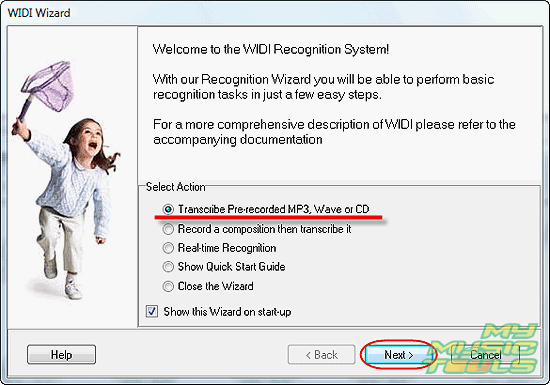
Choose to convert pre-recorded MP3 and click "Next".
You can also use the wave to MIDI converter to recognize a tune that you sing into microphone (as an example).
Step 3: Select MP3 file to convert.
The following window appears:
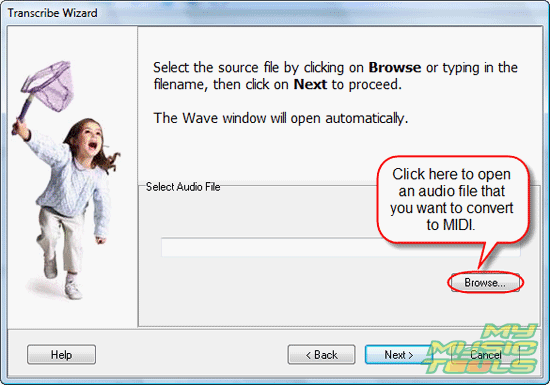
Click "Browse" and select MP3 file that you want to convert to MIDI:
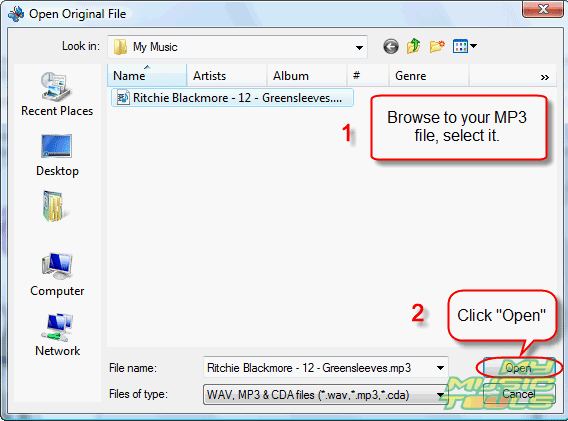
Click "Open". It will return you to the previous window, but with the path to your file:
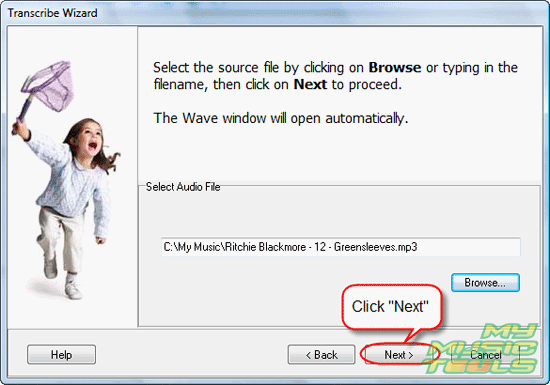
Click "Next". The program will work on the audio a few seconds:
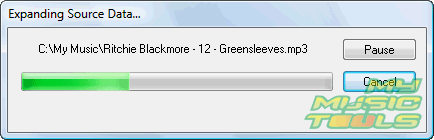
Step 4: Let the program recognize MIDI sequences.
Now you can change settings for MIDI recognition, or just select a preset from the drop-down list.
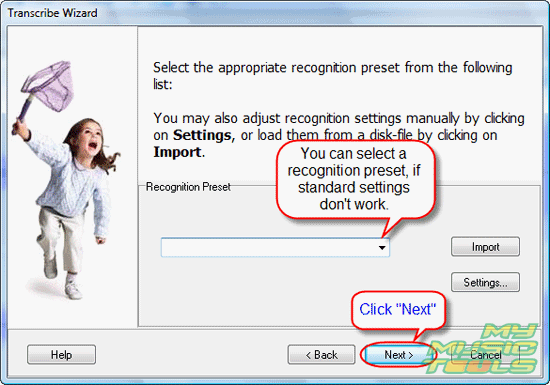
We don't use any presets for now. Just click "Next".
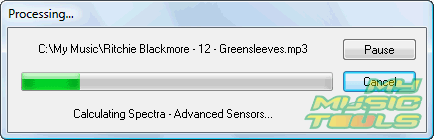
The program starts to analyze your MP3 file. It will take a few seconds.
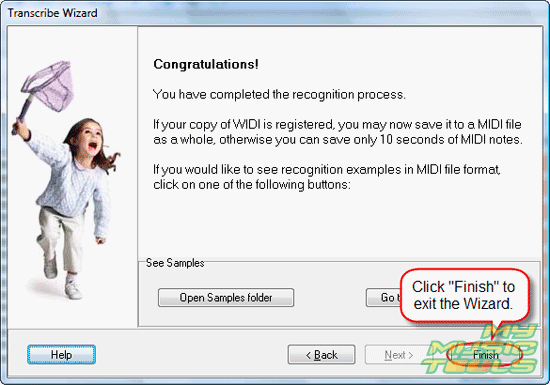
When the analysis is finished, you can just close the Wizard:
Step 5: Verify the result. Adjust settings. Save MIDI file.
After the Wizard is closed, you can see the main window of the program:
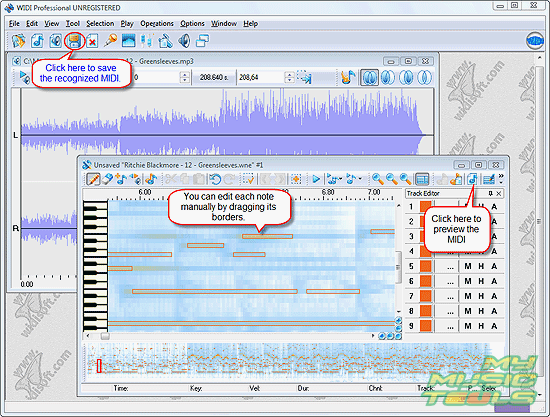
One window in the workspace represents waveform of the original MP3 file (on the background). The other one shows you results of spectrum analysis. Yellow regions are most probably notes - that's where sound is most intense. The program recognizes notes and highlight them using borders. You can adjust, merge, delete, add new notes directly in this window. It is also possible to adjust instruments and preview the tune.
WIDI Recognition System Professional isn't able to recognize instruments yet, so the whole melody will be played using piano (by default). Use editor to make adjustments.
Finally click "Save" button to save the resulting MIDI. Trial version of the program will allow you to save only 10 seconds of your tune. You can remove this restriction by purchasing the product and entering your personal key.


Search
Related
- How to convert multiple MIDI files into an MP3?
- How to play MIDIs on an iPhone?
- Play MIDI files on your iPod!
- How do I convert MIDI to WAV?
- How to convert MIDI to OGG?
- How to convert MIDI to WAV?
- How to convert MIDI to CDA?
- How to convert MIDI to MP3 using several SoundFonts?
- How to convert MIDI to WMA?
 How to convert MIDI to MP3
- MIDI to MP3 converter with ID3 tags support
- MIDI to Ringtone Converter
- How do I convert KAR to MP3?
- How do I convert MIDI to MP3?
- Fast MIDI to MP3 Converter 5.6 review
- How to convert a mid to mp3?
- ManiacTools Releases MIDI Converter Studio 4.6
- How do I edit MIDI files?
- WIDI Recognition System Professional 3.3 Review
- How do I convert MP3 to MIDI?
- Able MIDI Editor 1.3 review
Ask our expert
- How to share screen videos online?
- How to sort duplicate music files by ID3 tags?
- How to get quick updates on movies by director?
- How to convert multiple MIDI files into an MP3?
- How to rotate videos?
- How to convert WMA to WAV?
- How to play MIDIs on an iPhone?
- How to split an audio file into equal parts?
- How to split m4b audiobooks into chapters for free?
- How to convert videos for You Tube?
