




Articles & Reviews

How to share screen videos online?- How to sort duplicate music files by ID3 tags?
- How to get quick updates on movies by director?
- How to convert multiple MIDI files into an MP3?
- How to rotate videos?
- How to convert WMA to WAV?
- How to play MIDIs on an iPhone?
- How to split an audio file into equal parts?
- How to split m4b audiobooks into chapters for free?
- How to convert videos for You Tube?
Recommended downloads
- in this category
- Acoustica MP3 Audio Mixer
- Easy Audio Editor
Soft Description
Dexster 4.6
FROM: Softdiv Software Sdn Bhd


Dexster is an advanced visual audio editor with powerful capabilities for processing sound. It features numerous sound filters and audio effects that help to edit audio files according to your needs. It supports a number of popular audio formats, including MP2, MP3, WAV (compressed and uncompressed versions), MPC, AVI (audio tracks), WMA, OGG Vorbis, AIFF, AU, VOX, G.721, G.723, G.726, CDA (Audio CD). The program can work with the supported formats directly. For example, using Dexster as an MP3 editor, you don't need to convert MP3 to WAV before you edit audio and don't need to convert the resulting WAV to MP3 after editing. Dexster will normalize sound in your audio files. It is possible to amplify any part of the sound file or, the other way around, reduce sound volume of the complete file or of its part. You can add fade in and fade out sound effects of any desirable length.
When you open an audio file in Dexster, the program creates a waveform for the file. For two-channel (stereo) files, two waveforms are built. You can easily select necessary parts of the audio with your mouse and apply necessary audio filters or sound effects. It is possible to delete a part of the audio file, join audio files, insert silence (pauses), extract a part of audio, extract audio from video. The effect of every operation is immediately shown on the waveform, you can also check how it sounds by playing the edited audio.
Dexster can also convert files from one supported audio format to another and rip Audio CDs. On the other hand, there is a built-in tool to burn Audio CD, so you can create your own Audio CDs. Another tool will help you to record sound from your microphone or from another usable source.
Among other useful features we should mention noise reduction and vocal reduction. Vocal reduction can be used to create karaoke from MP3 files or from music in any other format (one should mention here that it would be a pseudo-karaoke, as no technology can completely remove voice from MP3/WMA/OGG and other similar files).
Important features of Dexster in a nutshell:
- Visual audio editing, select parts and apply sound effects or audio filters directly on the waveform.
- Numerous sound effects: Amplify, Compressor, Delay, Envelope, Equalizer, Expander, Fade, Flanger, Invert, Normalize, Phaser, Reverb, Reverse, Silence, Stretch, Trim, Vibrato, Chorus, Pitch Shift.
- Audio filters for every possible situation: BandPassFilter, FFTFilter, HighPassFilter, HighShelfFilter, LowPassFilter, LowShelfFilter, NotchFilter, Peak EQ Filter, Finite Impulse Response Filter.
- Record audio with the built-in sound recorder. There is a recording timer.
- Rip Audio CD to any of the supported formats.
- Merge audio files.
- Extract sound from video.
- Insert silence.
- Insert noise.
- Convert audio files from one format to another.
- Edit several audio files simultaneously.
- Reduce vocals.
- Reduce noise.
- Mix audio.
- All Windows operating system are supported, including Windows XP, Windows Vista, Windows 7.
German review Spanish review Italian review French review Russian review

USER COMMENTS:
zagallo
Softdiv MP3 to WAV Converter 3.2 - Audio CD Burning, Audio Formats Converter, Audio Mixing, and Audio Info Editing
VIDEOzilla 3.7 - Videozilla is a complete video conversion tool for video files via right click
Search
Related
 Acoustic Labs Audio Editor
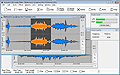
The Acoustic Labs Audio Editor is an easy-to-use, yet powerful, wave (WAV), MP3, WMA, OGG and PCM audio editor, player and recorder allowing users to open, edit, save and record audio files in any of these formats.
All categories
- All-In-One Jukebox
- Audio CD Burners
- Audio CD Rippers
- Audio Converters
- Audio Editors
- Audio Players
- Developers Kit
- DJ Tools
- DVD Rippers
- DVD Tools
- Flash Tools
- iPod Tools
- Karaoke Software
- Mac OS Tools
- Midi Tools
- Mobile Ringtone Tools
- Movie Organizers
- Music Management
- Radio & Broadcasting
- Recorders
- Rippers & Encoders
- Score Editors
- Splitter & Joiner
- Test Tools
- Utilities
- Video Converters
- Video Splitters & Joiners
- Video Tools
- Voice & Text
